FRP
FRP + Userdata
Dedicated Xiaomi service with availability and pricing shown before starting.
Check availability Sign inES
Your Xiaomi services, your account and your desktop. Connected in one focused workspace.
Click FRP Tool brings your Xiaomi services into one workspace. Each operation keeps its own availability and device compatibility checks.
Availability and device compatibility are separate checks.
Dedicated Xiaomi service with availability and pricing shown before starting.
Check availabilityA dedicated device workflow, with its own connection and service checks.
Check availabilityA separate service for supported Xiaomi India devices.
Check availabilityYour desktop interface, supported by the account panel and service catalog.
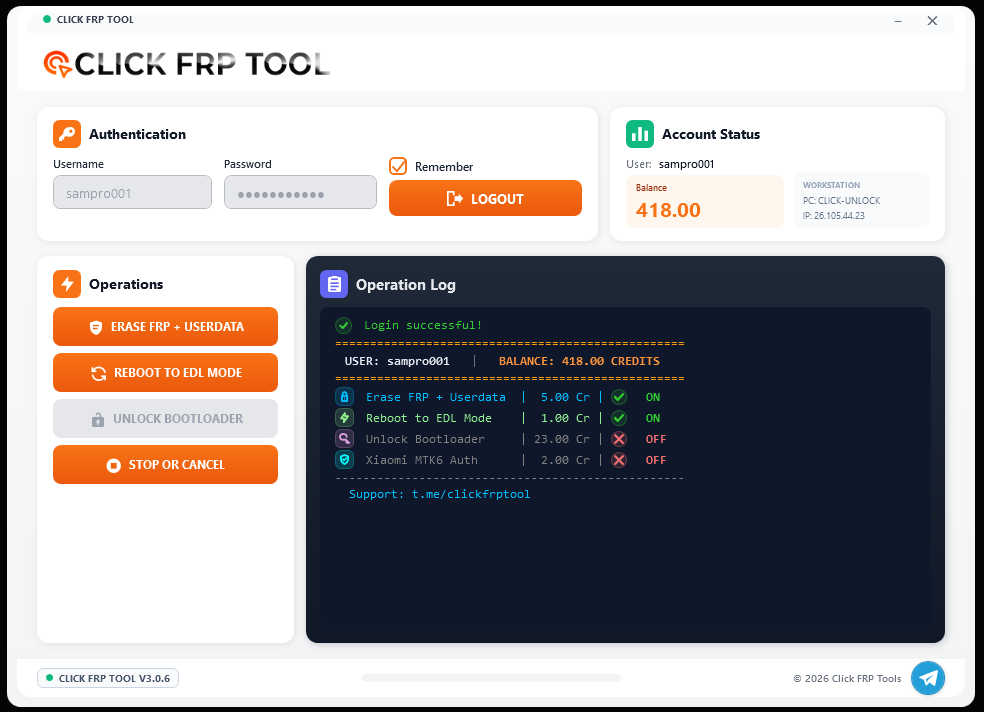
Sign in and review your available credits.
Use the device mode and drivers required by the selected service.
Check service availability, price and device compatibility.
Review your balance, prices and recorded requests from the account panel. Choose English or Spanish on the website.
Product updates on Telegram. Direct contact on WhatsApp. Your official channels, always close at hand.